
When Windows 10 came out with a free option to upgrade, I took the liberate to take up the offer to do it later when I had the time. This selection allowed me to download the Windows 10 ISO file so that I can installed it at a later time during my free time.
After completing the upgrade to Windows 10, I noticed that I had the issue of not able to open native windows applications such as the Calculator as it would generate the following error seen below:

Doing my investigation, I realized that the issue was as a result of the MUI language pack (English US) not installed on my computer completely.
Solution: To fix this problem, you had to first find out what Windows version build you had installed (my own was 10240) and then you would search on the Microsoft website to download the package for you built.
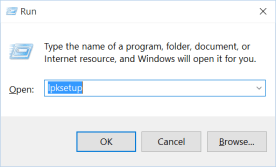
After you have gotten the MUI langauge pack (lp), you will run the following command to install it from RUN:
- To access RUN, use shortcut key Win + R or type run in the Start menu
- enter the command lpksetup.exe
- Select Install display languages

- Browse for the lp file and select Next (note if it say it is incorrect then you downloaded the incorrect version for your OS build)
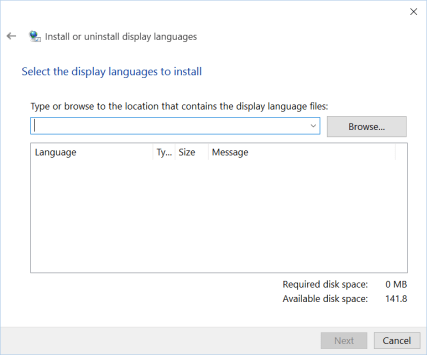
- Wait for it to complete and then you are done.
After you have applied the solution then restart your computer and you are good.
 IT Wiz Technology Blog