Improving the Resilence of Azure VM Disk

In Microsoft Azure there are many features available to improve the resilience of your Azure resources. In this article, I am going to focus on the resilience of an Azure VM Disk.

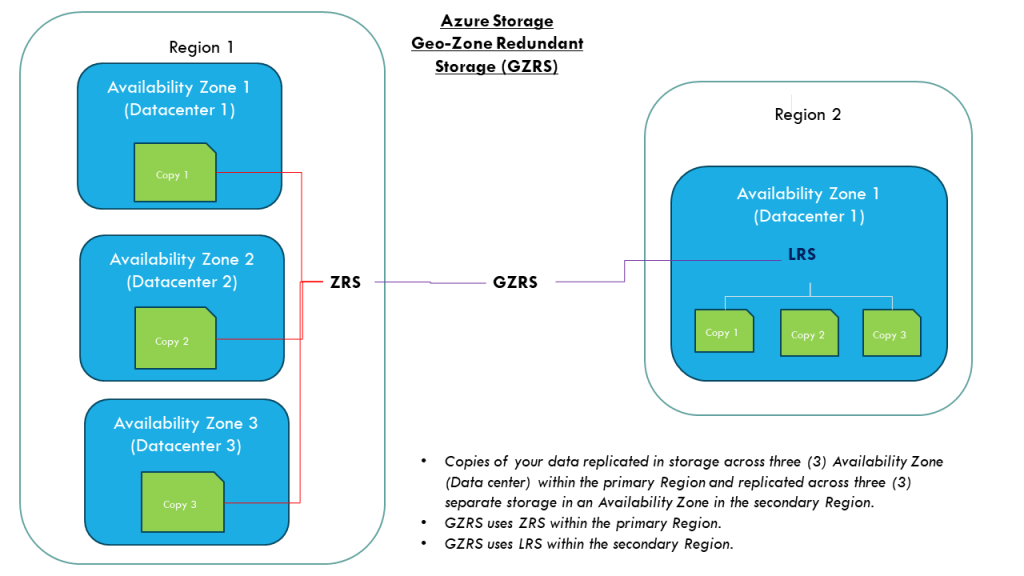
Let me paint a scenario where a Azure VM was created with a disk as LRS (locally redundant storage). The risk with the LRS is the disks are only protected against physical failures within a single datacenter such as server rack or drive failure. However, to increase the resilience of the VM disk against datacenter failures, I recommend that it is configure as ZRS (zone-redundant storage).

To convert a disk from LRS to ZRS, the correct procedure must be followed based on whether the disk is zonal or regional. To check this state, run the following command:

Azure CLI:

az disk show –name [DiskName] –resource-group [RGName]

If the zone parameter is empty, it is an indication that it is regional otherwise it is zonal.

The disk locality will be determine which method is applied to convert the disk from LRS to ZRS. Once verified as regional continue to the next steps to start the process.

For regional disk, it is necessary to only deallocate(shutdown) the Azure VM and then convert the disk using the commands:

Firstly, gather the Azure VM and disk information and create variables to store these values:

$RGName='ResourceGroupName'

$vmDiskName='VMDiskName'

$vmSize='Standard_DS_v2'

$diskSKU='Premium_ZRS'

Get the Parent VM Id (required for sizing of the VM if disk type is changed from Premium to Standard)

$vmId= $(az disk show \

–name$vmDiskName \

–resource-group $RGName \

–query manageBy \

–output tsv)

Stop the Azure VM in preparation for disk conversion

az vm deallocate --ids $vmId

Upgrade the Azure VM size (this step is critical that VM size can support the disk SKU or the disk conversion may fail)

az vm resize –ids $vmId –size $vmSize

Convert the disk from LRS to ZRS:

az disk update –name $vmDiskName –sku $diskSKU –resource-group $RGName

Start up the VM:

az vm start –ids $vmId

If the disk is zonal:

  • a snapshot of the original disk will need to be created.
  • Then a new disk will be created from the snapshot.
  • when the disk is created, a new VM will be provisioned with this new disk atached.

I hope this article assist with the steps to convert a disk from LRS to ZRS.

Reference:

Disk Migration LRS to ZRS

CCNP R&S Switch: First Hop Redundancy Protocol Inner Workings

This article is to identify the important information to know about the the three (3) First Hop Redundancy Protocols (FHRP) supported on a Cisco devices.

The three FHRP are:

  • HSRP – Hot Standby Redundancy Protocol
  • VRRP – Virtual Router Redundancy Protocol
  • GLBP – Gateway Load Balancing Protocol

HSRP

  • The virtual mac address are as follows based on version:
    • v1: 0000.0c07.acXX
    • v2 : 0000.0c9f.f000 – 0000.0c9f.ffff
  • sends hello message every 3 seconds to multicast address on port UDP 1985:
    • 224.0.0.2 (v1)
    • 224.0.0.102 (v2)
  • Preemption is disabled by default
  • The HSRP virtual IP address cannot be the same as any of the devices in the group
  • The group number can be the same on the different interfaces on a device
    • v1 group range 0 – 255
    • v2 group range 0 – 4095
  •  If the priority is equal on all devices in a group, the device with the highest IP address wins.
  • v1 and v2 are not interoperable
  • Router state are either Active or Standby

VRRP

  • This protocol is an IEEE standard
  • The virtual mac address is 0000.5e00.01RR (R represents the virtual router identifier)
  • sends hello message every 1 second to multicast address 224.0.0.18 via IP protocol 112
  • Preemption is enabled by default
  • Router state are either Master or Backup
  • Protocol has the option to learn timer from the Master
    • vrrp # timer learn

GLBP

  • the virtual MAC address is 0007.b400.GGFF (G is the GLBP group number and R is the AVF number)
  • sends hello message every 3 seconds to multicast address on port UDP 3222:
    • 224.0.0.102
  • All devices will be an AVF (Active Virtual Forwarder)
  • Only one AVG (Active Virtual Gateway) will be elected
  • The AVG assign a virtual MAC address to the AVF
  • AVG is responsible for responding to ARP requests for the virtual IP address
  • load balancing methods
    • round-robin (default)
    • host-dependent
    • weighted
  • preemption is disabled by default
  • GLBP uses 3 packet types: Hello, Request and Reply

The detail listed is not exhausted but it will be updated in the future.

Link Aggregation (LAG) Port (EtherChannel – Cisco)

In the field of networking, there is a concept called Link Aggregation (LAG) which is a technology of combining more than one physical link together to make one logical link. This technology is usually implemented to support link redundancy and in some case higher throughput depending on the vendor. This technology is used mostly to connect servers to switches with multiple network cards. LAG ports are mostly connected in pairs of 2 e.g. 4, 8.

in this article, we are going to focus on the vendor Cisco who calls this technology by a different name, “Etherchannel”.

There are two protocols used on the Cisco switches to support Etherchannel:

  • LACP – Link Aggregation Control Protocol (Cisco proprietary)
  • PAgP – Port Aggregation Protocol (IEEE standard)

LACP protocol

  • Active
  • Passive

PAgP protocol

  • Auto
  • Desirable

Manual – On

Etherchannel configuration

switch(config-if-range)# channel-protocol [lacp/pagp]

switch(config-if-range)# channel-group # mode [protocol]

Etherchannel load-balance

  • src-mac (default)
  • dst-mac
  • src-ip
  • dst-ip
  • src-dst-mac
  • src-dst-ip

Loadbalance configuration

switch(config)# port-channel loadbalance [balance-option]

Layer 3 Etherchannel

an Etherchannel port become layer 3 (routing) port once your disable switchport on the portchannel

switch(config)# interface port-channel 1

switch(config-if)# no switchport

Show summary of the etherchannel

Tips:

  • Configurations applied to the port-channel interface is also applied to all the physical interfaces assigned to the port-channel group.
  • Layer 3 EtherChannel interface is not allowed on LAN based switches.
  • The following ethernet port settings must be the same when configuring the EtherChannel:
    • Speed
    • Duplex
    • native VLAN
    • VLAN range
    • trunking status
    • trunking type
  • When configuring the EtherChannel modes, one side must be in an active negotiating state (Desirable or Active)
  • Maximum interface support in one etherchannel is 8 and the maximum portchannel support on a switch is 64 depending on the switch model.
  • PAgP not supported on cross stack switches.